How to Claim Your Pre-Registered Corporate Workspace and Onboard Your Recruitment Team on JobAgencyLink
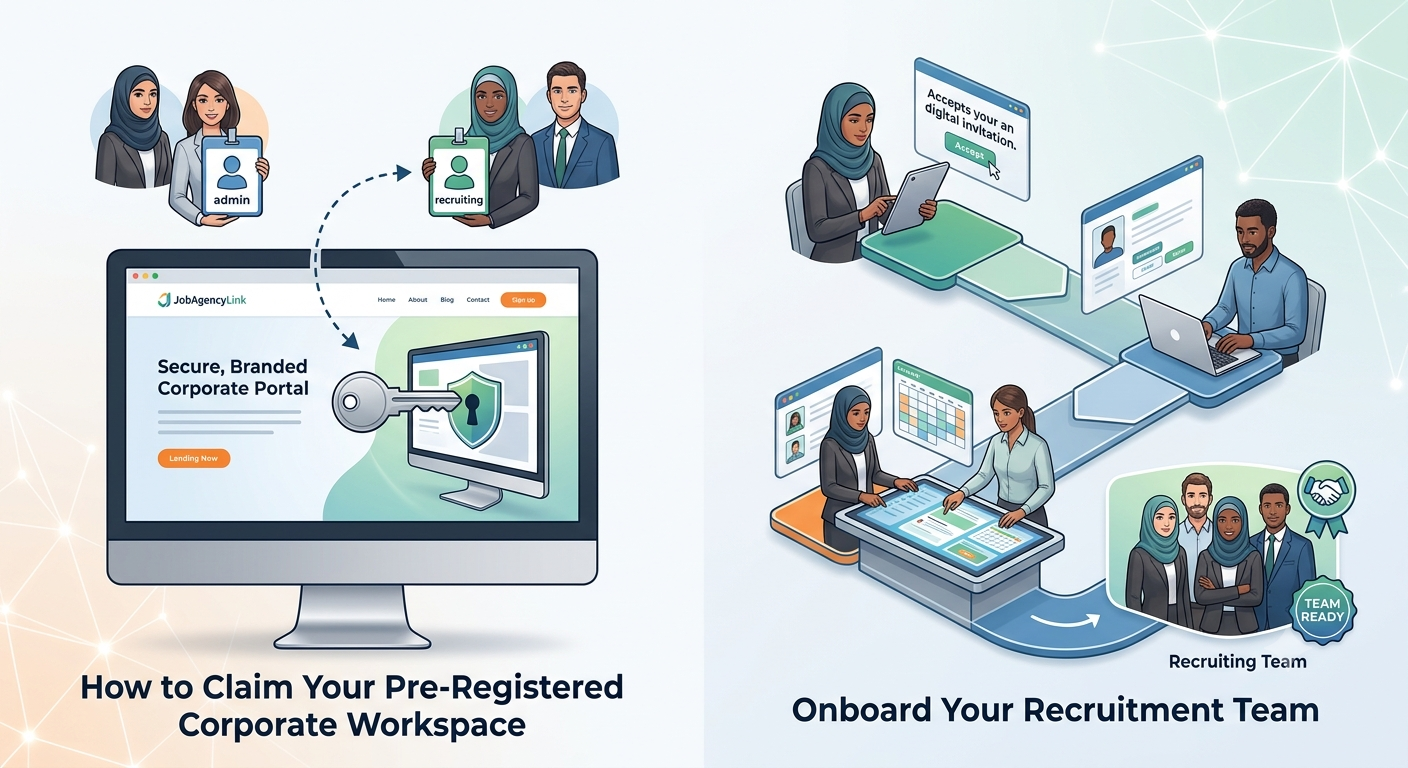
A Modern Approach to Collaborative Sourcing
In the rapidly evolving landscape of corporate recruitment, speed, data integrity, and collaboration are essential to securing top-tier talent. Traditional hiring processes often suffer from fragmentation, where communication between hiring managers, external recruiters, and candidates occurs across disconnected channels. To solve this, JobAgencyLink offers a centralized, collaborative environment designed to consolidate your talent acquisition pipeline into a single, cohesive workspace.
Rather than forcing organizations to build their company directory profiles from scratch which frequently leads to formatting inconsistencies and unverified listings our platform administrators pre-register select corporate profiles. This pre-registration process ensures that your brand is represented accurately and professionally from day one. Once your profile is pre-registered, the primary contact of your organization is invited to claim the profile, establish administrative control, and begin configuring collaborative workspaces. In this guide, we walk you through the precise steps required to claim your corporate workspace, understand team privileges, onboard your recruiting staff, and leverage our advanced evaluation ecosystem.
Phase 1: How to Claim Your Pre-Registered Corporate Workspace
The transition from a pre-registered, unclaimed profile to an active, owner-managed workspace is designed to be straightforward and secure. When our administrators create your company profile, the system registers the company metadata but leaves the administrative account unassigned. The onboarding process is initiated when the system dispatches an official invitation containing a secure, single-use token to your organization's primary contact email.
To claim your corporate workspace, locate the invitation email in your inbox. This message contains a unique, randomized token link that acts as a secure key to your business profile. Click the primary button in the email, and you will be redirected to the secure registration page at jobagencylink - register. This link automatically transmits your secure invitation code in the background, ensuring your new user account is bound directly to your existing company record.
On the registration page, you will be prompted to provide your first name, last name, and a secure password. Upon submitting this form, the system automatically executes several sequential actions behind the scenes: it registers your user account under the general system role of "Employer", maps your account as the primary administrative "Owner" of your company, and nullifies the invitation code so it can never be used again. Once you verify your email address via the automated confirmation link sent to your inbox, you will gain full access to your corporate recruitment dashboard.
Phase 2: Understanding Your Collaborative Workspace Roles
To support structured, secure delegation within your human resources department, JobAgencyLink utilizes a dual-user role architecture. This setup ensures that while your team has the tools necessary to list vacancies and coordinate selections, sensitive configuration files and administrative settings remain restricted. When setting up your team, you can assign users to one of two distinct roles: Owner or Recruiter.
The Owner represents the primary administrative account. This is the user who claimed the workspace initially. The Owner has full, unrestricted access to the company profile, billing configurations, subscription plans, and team management settings. Only an Owner can invite new team members, suspend existing recruiter accounts, or modify critical corporate metadata. On the other hand, the Recruiter role is designed for day-to-day talent acquisition activities. Recruiters can post new job vacancies, review applicant pools, configure candidate evaluation criteria, and manage interview timetables. However, they cannot access subscription details, change company-wide configurations, or alter the statuses of other team members.
To help you plan your team structure, the following table summarizes the permission boundaries between these two roles:
| Workspace Capability | Company Owner | Recruiter |
|---|---|---|
| Edit Company Profile & Logos | Full Access | Read-Only |
| Manage Subscriptions & Billing | Full Access | No Access |
| Onboard & Manage Staff Accounts | Full Access | No Access |
| Create & Edit Job Vacancies | Full Access | Full Access |
| Configure Exams & Question Pools | Full Access | Full Access |
| Manage Interview Timetables | Full Access | Full Access |
Phase 3: Onboarding Your Recruitment Team
Once you have claimed your company profile and verified your administrator credentials, you can begin onboarding your human resources team. This collaborative capability allows you to distribute workload seamlessly, enabling different recruiters to focus on distinct vacancy pipelines, candidate screenings, or assessment evaluations simultaneously.
To onboard a new recruiter, log in to your dashboard at jobagencylink - Login and navigate to the "Manage Staff" panel. Click the "Add Company Recruiter" button to open the secure invitation form. You will be prompted to enter the team member's first name, last name, and corporate email address, and assign them a temporary access password.
To protect your company directory from unauthorized access, newly added recruiters are registered under an unverified state. The system automatically generates a unique activation token and dispatches a verification link directly to the recruiter's corporate email inbox. The recruiter remains in a "Pending" status on your dashboard, and their access to the portal remains locked until they click the email link to verify their corporate address and activate their account. Once verified, their status dynamically transitions to "Active", allowing them to log in, access your shared company workspace, and manage job listings autonomously.
The JobAgencyLink Advantage: Security and Privacy
Beyond traditional job listing capabilities, JobAgencyLink is built to host secure, end-to-end recruitment pipelines. The platform features an advanced Computer-Based Testing (CBT) suite designed to evaluate candidate aptitude, cognitive abilities, and technical competence objectively. Unlike basic quiz plug-ins, our CBT suite includes proctoring safeguards to maintain assessment integrity. The testing interface tracks candidate browser behavior, automatically logging infractions such as exiting fullscreen mode, losing window focus, or switching browser tabs. If a candidate exceeds the predefined warning threshold configured for the exam, the system can automatically lock the workspace and submit the paper, ensuring a fair, uncompromised testing environment for all applicants.
In addition to strict proctoring standards, JobAgencyLink is designed around a privacy-first candidate protection architecture. In compliance with modern data protection standards, public announcements of exam results, interview call-ups, and final job placements are structured to prevent candidate exposure. Instead of publishing candidates' names, emails, or phone numbers publicly on the portal, our system exclusively generates and displays unique, secure "Interview Numbers" (or Exam Reference Codes) alongside their evaluation marks and selection statuses. This approach ensures maximum transparency and merit-based objectivity while guaranteeing that job seekers' personal contact details and identities remain completely protected from public harvesting.
Frequently Asked Questions
How long do company onboarding invitations remain active?
For security purposes, the secure invitation token sent to claim a pre-registered company profile remains active for 7 days. If the link is not clicked within this window, the token expires, and the company profile remains unclaimed until a system administrator generates and issues a new onboarding invitation link.
Can a recruiter edit company billing details or upgrade subscription plans?
No. Under our dual-user role model, only accounts assigned the "Owner" role have access to company-wide billing, invoices, subscription packages, and payment details. Recruiters are restricted entirely to day-to-day sourcing, vacancy management, exam configuration, and candidate evaluation tasks.
What happens if an employer registers independently without an invitation code?
If an employer registers independently on the public sign-up page without an invitation code, they can still link their user account to a pre-registered company. They can log in to their dashboard and enter the unique "Invitation Code" manually inside their unlinked profile view to merge their account and claim primary "Owner" privileges instantly.
Can we change a recruiter's role to Owner or transfer ownership?
Yes. The primary Company Owner can manage team members inside the "Manage Staff" panel. If corporate structures shift, the Owner can transfer the primary account ownership to another registered team member. This action re-assigns the administrative privileges safely, ensuring your corporate data remains preserved and uninterrupted.
Conclusion
Claiming your pre-registered corporate workspace on JobAgencyLink is a crucial first step toward modernizing and securing your talent acquisition pipeline. By establishing your primary administrative Owner account, onboarding your human resources team, and implementing collaborative workflows, your business can significantly reduce candidate screening times while maintaining absolute compliance with global data privacy standards.
Take full control of your hiring process today. Claim your pre-configured profile, onboard your recruiters, and begin building objective, proctored evaluation paths to secure your next hire. Visit JobAgencyLink to activate your corporate workspace and begin recruiting with confidence.



Search Blog

Written by System Administrator
ADMIN AUTHOROfficial recruitment manager and platform editor publishing career advices.
Job Details Link
Review full vacancy requirements, salary parameters, and responsibilities for this post.
View Active Listings